A parking barrier system is a physical access control gate — a boom arm, rising bollard, sliding gate, or drop-arm barrier — combined with the credential reader and management software that decide who’s allowed through. The barrier is the visible bit. The choice between hardware types is rarely the bit that goes wrong.
This guide covers the four main barrier types, what each one actually costs to put in the ground, the safety standards your installer needs to meet, and where a software-first approach removes the need for a barrier altogether.
Key takeaways
- Four families cover most commercial barriers: boom arms (most common), rising bollards (anti-ram), sliding gates (wider openings), and drop-arm barriers (low-profile)
- A standard commercial barrier lane costs $8,000–$18,000 installed; civils and electrical typically add another $2,000–$10,000 on top of equipment cost
- The smartest spend isn’t on the gate — it’s on what’s behind it. A barrier that integrates with your parking platform, visitor management, and EV chargers is operationally cheaper for years after install
- For high-security sites, ASTM F2656 (US) or PAS 68 / IWA 14-1 (international) are the crash-rating standards to ask vendors about
- ANPR cameras now hit 98–99% accuracy in real-world conditions — for many corporate and multifamily sites, ANPR plus digital permits removes the need for a physical barrier altogether
- UL 325 (operator) and ASTM F2200 (gate construction) are the mandatory US safety standards; equivalents are EN 12453 in Europe and AS/NZS 4505 in Australia/NZ
- Choose your barrier by walking through five factors in order: traffic volume, security profile, driver experience, existing infrastructure, and the software ecosystem it connects to
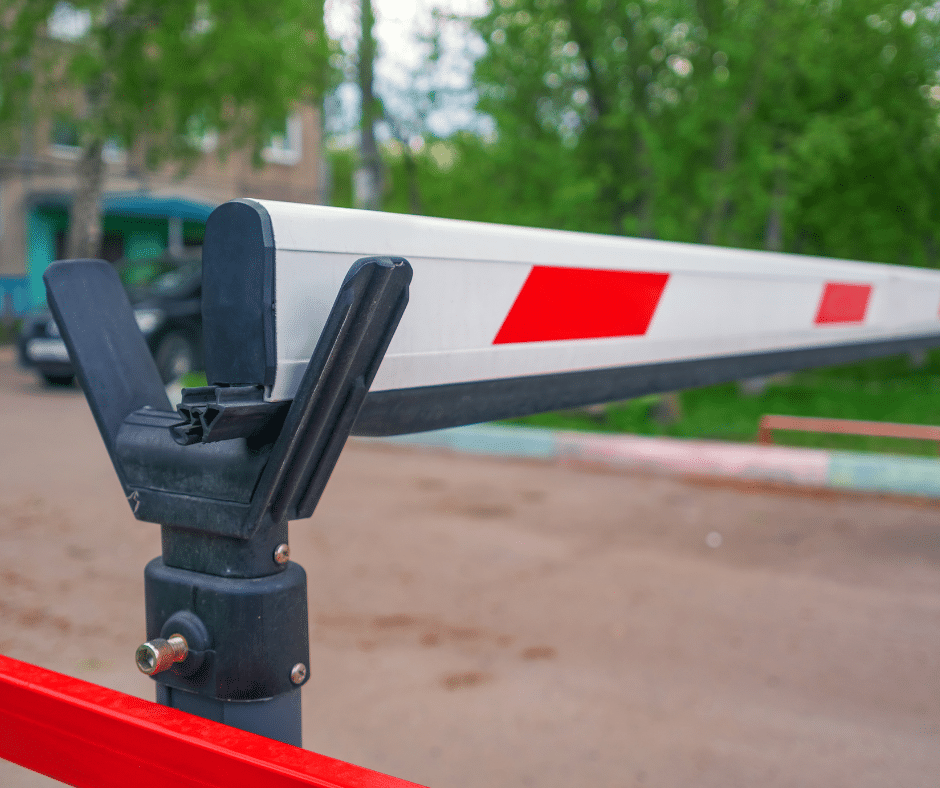
The four types of parking barriers
Most parking barriers in commercial use come from one of four families. Different shapes, different jobs.
Boom barriers (gate arms)
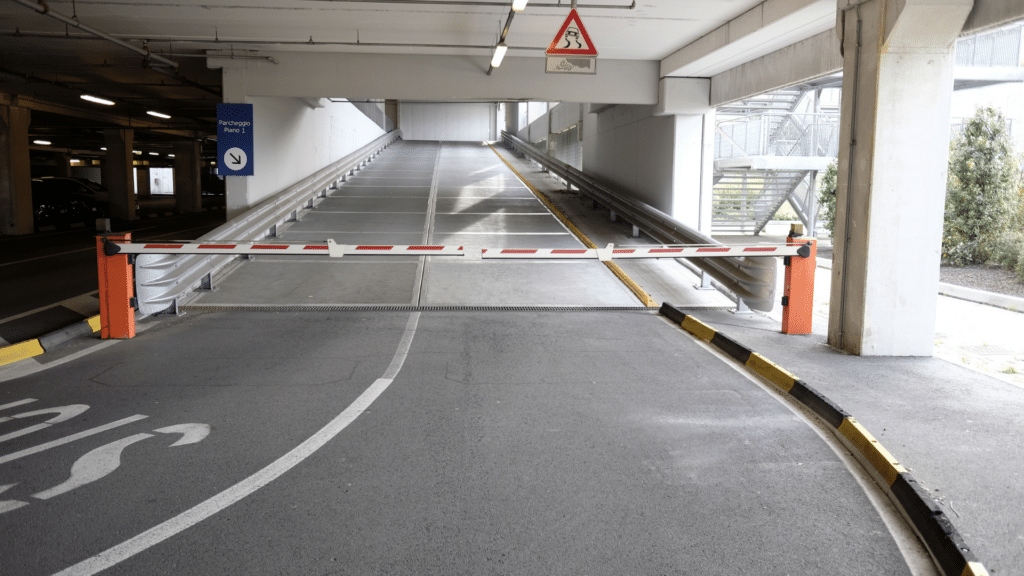
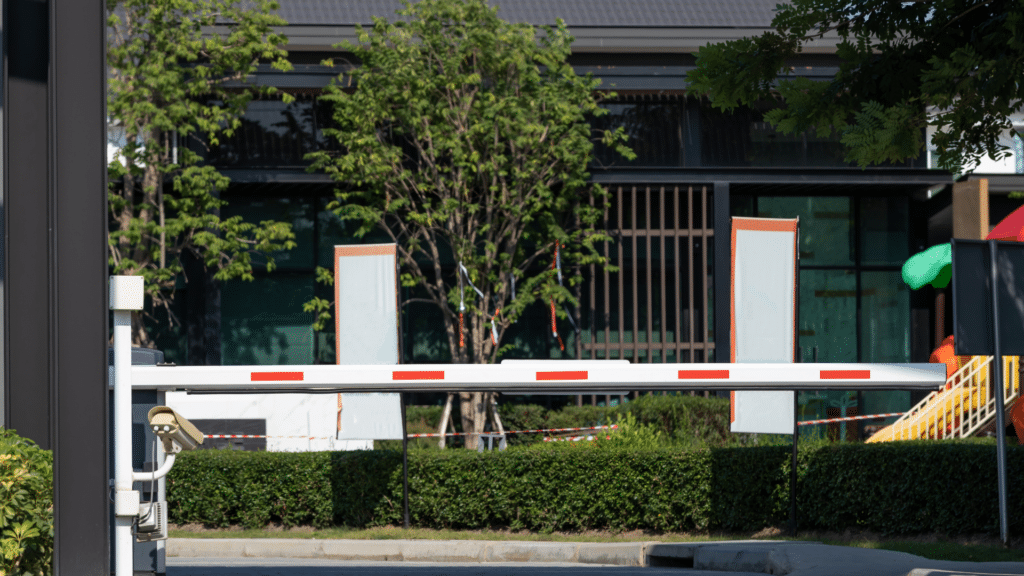
The familiar horizontal arm that lifts as a car approaches and drops behind it. Boom barriers cover most enterprise sites — 200 to 1,200+ open-close cycles a day depending on the motor. The spec to ask vendors about is MCBF (mean cycles between failure): standard-duty units sit around 2 million cycles, the top-tier industrial units from FAAC, CAME, or Automatic Systems push 10 million.
One thing to remember: a boom barrier stops a card-holder, not a determined vehicle. The arm snaps under impact. Fine for a corporate car park. Not for the entrance to a data centre.
Rising bollards
Rising bollards drop into the ground when access is granted and come back up afterwards. Zero footprint when open, and unlike a boom barrier they’ll actually stop a vehicle — a heavy fixed bollard can take a 7.5-tonne lorry at 50 mph. The trade-offs are cycle time, maintenance (the underground assembly gets dirty), and cost (the civils dominate the install bill).
If you actually need to stop something, you’re shopping for a crash-rated bollard. Three standards run the field:
- ASTM F2656 — the US benchmark, adopted by the DoD in 2017. Rated P1, P2, or P3 by how far the vehicle gets past the barrier on impact: under 1m, 3m, or 7m
- PAS 68 — the UK and EMEA equivalent. Standard test: 7,500 kg truck at 48 or 80 km/h, hit head-on
- IWA 14-1 — the international version. Same methodology as PAS 68, different label
Ask any vendor which standard their hardware is rated against and at what energy level. If they can’t tell you, they’re not the vendor.
Sliding and swing gates
Sliding gates roll across a wider opening; swing gates pivot like a door. Used where a boom arm isn’t wide enough — multi-lane entries, service yards, big multifamily forecourts. The gate itself is solid (steel or aluminium), so the security profile is higher than a boom arm. The downside is speed: 8 to 15 seconds open to close. Fine for low-to-moderate traffic, painful at peak.
Drop-arm and fold-down barriers
The arm sits horizontal across the opening and folds down or rotates aside when access is granted. Common in pedestrian-mix areas where a rising arm overhead would be a hazard, and on fire-lane access points where the barrier needs to release fully open at the push of a button.
Quick comparison
| Type | Daily cycles | Anti-ram | Footprint | Typical use case |
|---|---|---|---|---|
| Boom barrier | 200–1,200+ | No | Compact | Corporate car parks, multifamily resident gates |
| Rising bollard | 50–400 | Yes | Zero (retracted) | High-security sites, executive entries, data centres |
| Sliding gate | 100–400 | Yes (solid panel) | Wide | Multi-lane entries, service yards, large forecourts |
| Drop-arm / fold-down | 100–600 | No | Compact, low-profile | Pedestrian-mix areas, fire-lane override points |
What’s behind the barrier matters more than the barrier
A barrier on its own is a moving piece of metal. What turns it into a system is everything behind it — the reader at the gate, the controller that opens the arm, and the software deciding the rules. Three layers, three jobs.
The credential layer (what your driver presents)
Modern systems happily run several credential types side by side, so one barrier serves daily commuters, contractors, and one-off visitors without changing any hardware:
- Badge or fob — proximity card or RFID key, the legacy standard for employees
- License plate (ANPR) — the camera reads the plate, the gate opens, no stop required. The best systems hit 98–99% accuracy in real-world conditions. Where it goes wrong is usually camera positioning, not the software
- PIN code — handed out to visitors or contractors for time-limited access
- QR code or barcode — generated in the parking app on the user’s phone, scanned at the lane
- Bluetooth or GSM — phone-as-credential, the gate opens as the driver approaches
Pick the mix that matches your population. Employees who park every day want ANPR or app-based access. Visitors are happy with a QR or PIN. Mobile-credential adoption is the fastest-growing category in the parking access market right now — somewhere around a 10% CAGR — for the obvious reason that people don’t lose their phones the way they lose key fobs.
The control layer (the protocol matters)
The control layer is what physically opens the gate. Two protocols run between your reader and your controller, and which one you use matters more than buyers think:
- Wiegand — the legacy approach, around for decades. Simple, cheap, and (importantly) sends data in plaintext over two wires. Cards can be cloned with kit you can buy online
- OSDP (Open Supervised Device Protocol) — the newer Security Industry Association standard. AES-128 encryption, bidirectional comms, supports mobile credentials properly
“Open standards drive innovation, interoperability and scalable deployment across the security industry.”
If your integrator quotes a Wiegand-only setup on a 2026 install, push back. It’s a one-question test for whether a vendor is current.
The data layer (where the value actually lives)
Every entry and exit becomes a timestamped record: who, when, where, how long. That’s what feeds occupancy dashboards, billing for paid parking, audit logs for security and ESG reporting, and the rules engine that decides who gets a space tomorrow. Without the data layer, you have a gate. With it, you have a parking management system.
Wayleadr’s parking management software sits in this layer and connects to 20+ access control and barrier partners — including Genetec, Skidata, Nedap, Paxton, AMAG, Hikvision, Axis, Parquery, OpenPath, Integriti, Gateworks, and Parklio — so one dashboard handles credentials, allocations, occupancy data, and entry events regardless of the gate hardware in the lane.
How to choose: a 5-factor decision framework
Working through five factors in order tends to narrow the choice quickly.
| Factor | What to assess | Why it matters |
|---|---|---|
| Traffic volume | Daily open-close cycles. Low: under 200. Mid: 200–800. High: 800+ | Drives motor spec and replacement timing |
| Security profile | Anti-ram needed? Pedestrian mix? | Boom barriers stop card-holders. Bollards stop lorries |
| Driver experience | Stop-and-scan, drive-through ANPR, or mobile-app entry? | A stop slows throughput at peak. Drive-through pushes hardware spec up |
| Existing infrastructure | Access control, building management, network already in place | Retrofit cost is dominated by what you keep, not what you add |
| Software ecosystem | Parking, visitor management, EV, desk booking — what’s it talking to? | One dashboard for everything beats three separate consoles, forever |
The fifth factor is the one most facilities teams under-weight. They spend weeks comparing motor torque and cycle ratings, then plug the new barrier into a standalone access controller that doesn’t talk to anything else. Two years later the team is logging into five separate dashboards to find out what’s happening at one car park. A barrier that integrates with your existing parking platform, visitor management, and EV chargers is operationally cheaper for years after install — even when the hardware itself costs the same.
What does a parking barrier system cost?
The barrier itself is rarely what blows the budget. It’s everything around it. Here’s what the real numbers look like:
| Line item | Typical range | Notes |
|---|---|---|
| Basic single-lane barrier (all-in) | Under $4,000 | Low-spec automatic, no integration |
| Standard commercial lane | $8,000–$18,000 | Equipment + install + basic access control |
| High-speed / revenue-control lane | $20,000–$50,000+ | Heavy-duty motor, full PARCS integration, ANPR cameras |
| Electrical run | $300–$800 simple, up to $5,000+ with trenching | Distance from panel and surface type drive the cost |
| Concrete work | $500–$2,500 patchwork, $3,000–$8,000 full pad | Lane count and local labour rates |
| Annual maintenance | $500–$1,500/year, or $600–$2,000/year service contract | Higher for high-cycle sites |
| Equipment lifespan | 5–10 years standard, 15+ with maintenance | Top-tier hardware with regular service hits the upper end |
The line item most buyers miss is the civils and electrical work. A $6,000 unit can easily cost another $4,000 to $10,000 to put in the ground. If the panel is on the far side of the building and conduit needs to be trenched through tarmac, that line item alone matches the hardware spend.
Retrofit is almost always cheaper than green-field. If you already have a barrier and you’re upgrading the brain behind it — moving from a standalone access controller to a connected parking platform — the barrier hardware stays in place. The savings come from consolidating consoles, reducing manual admin, and using occupancy data to right-size the overflow lease.
Safety standards (the good news: regulators have done the thinking)
Any automated barrier on a commercial site in the US needs to meet two standards that work together:
- UL 325 covers the gate operator — the motor, the control system, the entrapment protection logic
- ASTM F2200 covers the gate itself — the physical build
For commercial public-access sites (UL 325 Class II), the rules require two different entrapment protection devices — typically a photo eye plus a safety edge. You can’t use two photo eyes; the redundancy has to be across different device types. If a sensor wire is cut or a photo eye is misaligned, the gate refuses to operate. That’s the rule that prevents the most common injury — someone or something getting caught when a sensor has silently failed.
Outside the US the equivalents are EN 12453 (Europe) and AS/NZS 4505 (Australia/NZ). Ask any vendor which standards their kit is certified against — it should be on the spec sheet.
When things go wrong (and they will)
Three things go wrong most often. Recognising which one before you call the engineer saves time:
- Stuck barrier — usually obstruction or a seized hinge. Check the lane first, then schedule lubrication
- Slow operation — most often a power-supply issue or a worn motor. Inspect supply voltage before booking a service call
- Unresponsive credentials — usually a network or controller fault, not the barrier itself. Confirm the reader is reaching the management platform before assuming a hardware failure
Do you actually need a barrier?
Not every site needs one. For a corporate campus with a stable, known driver population, ANPR cameras plus a digital permit list cover most of what a barrier does — without the hardware footprint, the maintenance, or the queue at peak arrival. Same for multifamily buildings where every parking-eligible vehicle is already registered to a unit.
The catch: ANPR alone can’t physically stop a vehicle. If your security profile needs anti-ram protection, transient revenue capture at the gate, or hard proof of denial, you still want a barrier. For everyone else, the better question is whether the rules engine, the occupancy data, and the credential management your team actually needs can be delivered without ever installing a gate arm.
Wayleadr handles both — barrier-controlled and barrier-free — through the same digital access control layer. The right design for your site usually depends on which of those five decision factors weighs heaviest.
How Wayleadr fits in
Wayleadr is the parking management software used by Google, Uber, Sanofi, OpenAI, and Sodexo. The platform connects to 20+ access control and barrier partners, so the same dashboard runs credentials, allocations, occupancy, and entry events regardless of the gate hardware in the lane. ANPR-only sites and barrier-controlled sites use the same workflows. If you’re evaluating barriers, evaluate the software in parallel — the integration choice has more long-term operational impact than the barrier itself.
Frequently asked questions
What is a parking barrier system?
A physical gate — boom arm, rising bollard, sliding gate, or drop-arm — combined with the credential readers and management software that decide who’s allowed through. The barrier is the hardware. The software sets the rules and keeps the record.
How does a car park barrier work?
The driver presents a credential — proximity card, RFID, PIN, QR, or a registered number plate read by an ANPR camera. The reader sends that credential to a controller, which checks it against the rules in the management software (is this person authorised, is the lot below capacity, is it within their permitted hours). If yes, the barrier opens, the vehicle passes, the system logs the event.
What are the main types of parking barriers?
Four families cover most commercial use: boom barriers (most common, medium-to-high traffic corporate sites), rising bollards (zero footprint when open, anti-ram capable, high-security entries), sliding or swing gates (wider openings, higher security than a boom), and drop-arm or fold-down barriers (low-profile, pedestrian-mix areas, fire-lane overrides).
How much does a parking barrier system cost?
The hardware is usually the smallest line item. A basic single-lane install can come in under $4,000 all-in. A standard commercial lane (equipment + install + basic access control) typically runs $8,000 to $18,000. High-speed or revenue-control lanes with full PARCS integration, ANPR cameras, and a heavy-duty motor run $20,000 to $50,000+ per lane. Civils and electrical add another $2,000 to $10,000 per lane on top. Maintenance is $500 to $1,500 per gate per year, or $600 to $2,000 under a full service contract. Lifespan: 5–10 years standard, 15+ with proper maintenance.
Do parking barriers work with number plate recognition (ANPR)?
Yes. ANPR cameras integrate with virtually every modern barrier system. The camera reads the registered plate, the management platform verifies the vehicle is authorised, and the barrier opens automatically. No stop, no scan. Works best for sites with a stable population of regular parkers. For sites with high visitor volume, ANPR pairs with QR or PIN credentials so guests still get clean access.
Can I run parking access without a barrier?
Yes — for many corporate workplaces and multifamily buildings, ANPR cameras plus digital permits do the job without any physical barrier. You skip the install cost and the maintenance, and you remove the bottleneck at peak. The catch: ANPR alone can’t physically stop a vehicle, so it only works where your security profile doesn’t need anti-ram or hard denial at the gate.
What safety standards do parking barriers need to meet?
In the US: UL 325 (the operator and entrapment protection) and ASTM F2200 (the physical gate construction). For commercial public-access locations, you need at least two different types of entrapment protection — typically a photo eye plus a safety edge sensor. Outside the US: EN 12453 (Europe) and AS/NZS 4505 (Australia/NZ). Any vendor should be able to tell you which standards their hardware and operators are certified against.
How do I choose the right parking barrier for my building?
Work through five factors in order: traffic volume, security profile (anti-ram or not), driver experience (stop-and-scan, drive-through, or app), existing infrastructure, and the software ecosystem it has to connect with. The last one is the one most teams under-weight — and it’s usually the one that decides how cheap or painful your next five years look.
Sources & further reading
- ASTM F2656 — US standard for vehicle crash testing of perimeter barriers (DoD benchmark)
- PAS 68 — UK and EMEA hostile-vehicle-mitigation standard (BSI)
- IWA 14-1 — international vehicle security barrier standard (ISO)
- UL 325 — standard for safety of door, drapery, gate, louver and window operators
- ASTM F2200 — standard specification for automated vehicular gate construction
- Security Industry Association — OSDP standard
Solve your parking problems
If your car park is causing chaos, you’re in good company. Google, Uber, Sanofi, and eBay all use Wayleadr to keep it under control.